
Workflow Automation for Pricing, Rebates and Chargebacks
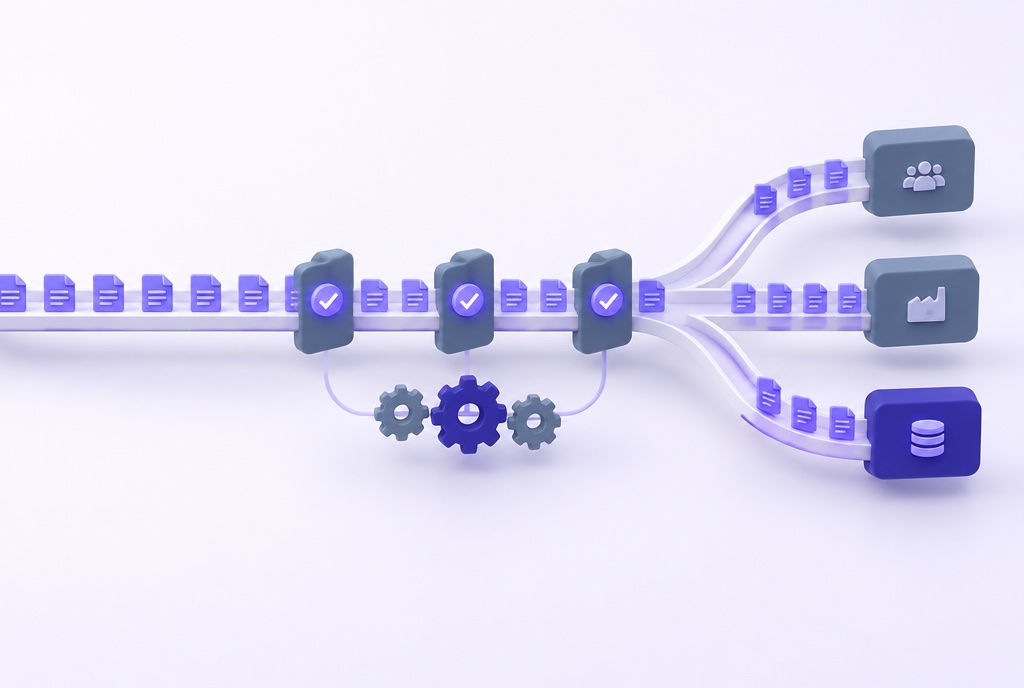
IMA360 routes price and rebate approvals to the right person, posts accruals and payments to your ERP on schedule, validates claims, reconciles every record and gives customers and suppliers a shared portal. Your team handles the exceptions, not the spreadsheets.






Manual Hand-offs Slow Every Revenue Process
A pricing or rebate decision passes through many hands before it becomes a posted payment. When each step depends on email, spreadsheets and re-keying, decisions slow down, errors creep in and nobody can see where a request stands.
- Approvals Live in Email. Discount and price exception approvals travel by email. Reps and customer service can override prices with no record of who approved what, and the same customer can see different prices from one month to the next.
- Accruals Are Calculated in Spreadsheets. Rebate accruals are worked out in Excel and loaded into the ERP by hand. The close waits on spreadsheet work, and every upload is another chance for a keying error.
- Postings and Reconciliations Are Re-keyed. Accruals, payments and credits are typed into the ERP and matched back by hand, so audit questions take a search through files rather than a look at the record.
- Customers and Suppliers Wait for Answers. When rebate balances and claim outcomes sit in internal files, customers, distributors and suppliers have to ask, and your team spends its time answering instead of managing programs.
Why Finance and Pricing Teams Automate with IMA360
Automation only helps when the rules match how your business works. IMA360 puts those rules in your team's hands.
- Configured by Your Team. Approval paths, thresholds, schedules and alerts are settings, not custom code, so the business can change them as programs change.
- Works with Your ERP. IMA360 is ERP-agnostic and API-first. It posts to SAP, Oracle, Microsoft or any ERP and keeps the document numbers for reconciliation.
- Exceptions, Not Everything. Rules approve the routine and route the unusual to people, so reviewers spend their time where the risk is.
- Audit-Ready by Design. Change history, exception tracking and approval records come with every workflow.
How IMA360 Automates Revenue Management Workflows
Every step from request to posting runs on rules you configure. Exceptions go to people; everything else moves on its own.
Reconciliation and Alerts
ERP document numbers link back to each accrual and payment for reconciliation. Integration jobs raise an alert when record counts disagree and email the team when a job fails.
Collaboration Portal
Customers, suppliers and other partners work in one shared portal: they see their contracts, rebate details and claims, comment on them and follow each item to a decision, with access scoped by role and data.
Work with Customers and Suppliers in One Shared Portal
The collaboration portal brings your partners into the workflow. Customers, suppliers and other partners see what concerns them, raise and follow claims, and discuss each item where it lives, instead of in email threads and spreadsheets.
- Shared visibilityPartners see their contracts, rebate details, accruals and tier progress, updated as transactions come in.
- Claims in the portalPartners submit claims, follow their status and see the outcome and the reason, alongside the claims that arrive by EDI or Excel.
- Comments where the work isQuestions and answers sit on the contract, claim or payment they concern, so the conversation stays with the record instead of in an inbox.
- Access you controlEach partner sees only its own data and the functions you open to it, set by role and by data scope.
- Connected to your CRMContract and rebate data also syncs with Salesforce, so account teams see the same numbers as your partners.

What Automation Changes for Your Team
One rules engine runs the approvals, accruals, claims and postings, so the work that used to wait on people moves on its own.
Approvals, accruals, claims and postings run on the same platform and the same rules, instead of separate tools and spreadsheets.
IMA360 runs more than 600 million transactions a year through the same engine that drives these workflows.
Workflows are configured, not coded, and go live within 3 to 12 months, scoped to your programs and integrations.
Each approval, posting and data change is logged with who made it and when, so you can answer audit questions from the record.
What our customers say
5.0 / 5.0from 11 verified reviewers on Gartner Peer Insights“IMA Platform centralizes rebate management and improves incentive program transparency.”
“Complete revenue management application that manages our business efficiently.”
“Real-time deal profitability enhances profit margin visibility and commission tracking.”
Frequently asked questions
What is workflow automation in revenue management?
Workflow automation in revenue management means the steps between a pricing or rebate decision and a posted financial result run on configured rules. Approvals route themselves, accruals and payments post to the ERP on schedule, claims are validated and records reconcile, while people handle only the exceptions.
Which approvals can IMA360 automate?
Price and discount exceptions, quotes, rebate contracts and payments. Approvals can route by threshold, product or tier, run in several steps, go to delegates, be approved by email, and escalate or auto-approve after reminders. Contracts already approved in Salesforce can be approved automatically in IMA360 or routed for a second approval.
Does IMA360 post to our ERP automatically?
Yes. Scheduled jobs post accruals and payments to SAP or any other ERP, including monthly accruals for programs that settle quarterly or annually, and IMA360 keeps the ERP document numbers for reconciliation.
How are chargeback claims automated?
Claims arrive by EDI 844 or Excel and are validated against contracts and GPO rosters. Valid lines are approved automatically, exceptions are flagged for review, and reason codes go back to the distributor.
What can customers and suppliers do in the collaboration portal?
They see their contracts, rebate details and claims, submit and follow claims, and comment on items to resolve questions in place. Each partner sees only its own data and the functions you open to it, and rebate data can also be pushed to Salesforce.
How long does implementation take?
Implementations go live within 3 to 12 months, depending on the number of programs and integrations.
Complexity Simplified. Your Results Amplified.
See Your Revenue Workflows Run on Their Own
Bring one manual process, an approval chain, an accrual upload or a claim review, and we will show you how it runs in IMA360.
Trademark Attribution.SAP®, SAP S/4HANA®, and SAP Condition Contract Management are trademarks or registered trademarks of SAP SE in Germany and other countries. Vistex® is a registered trademark of Vistex, Inc. Oracle® is a registered trademark of Oracle Corporation. Model N® is a trademark of Model N, Inc. Vendavo®, Pricefx®, PROS®, Zilliant®, Flintfox®, and Enable® are trademarks of their respective owners. IMA360 is not affiliated with, endorsed by, sponsored by, or partnered with any of these companies. All product names, logos, and brands are property of their respective owners and are used here for identification purposes only under the doctrine of nominative fair use. Information about competitor products is based on publicly available sources and may not reflect the most current product offerings.